Your network,
visualized and monitored.
Drop devices on your floor plans. TigerNode pings them automatically and shows you exactly what's online, offline, or needs attention.

Drop devices on your floor plans. TigerNode pings them automatically and shows you exactly what's online, offline, or needs attention.
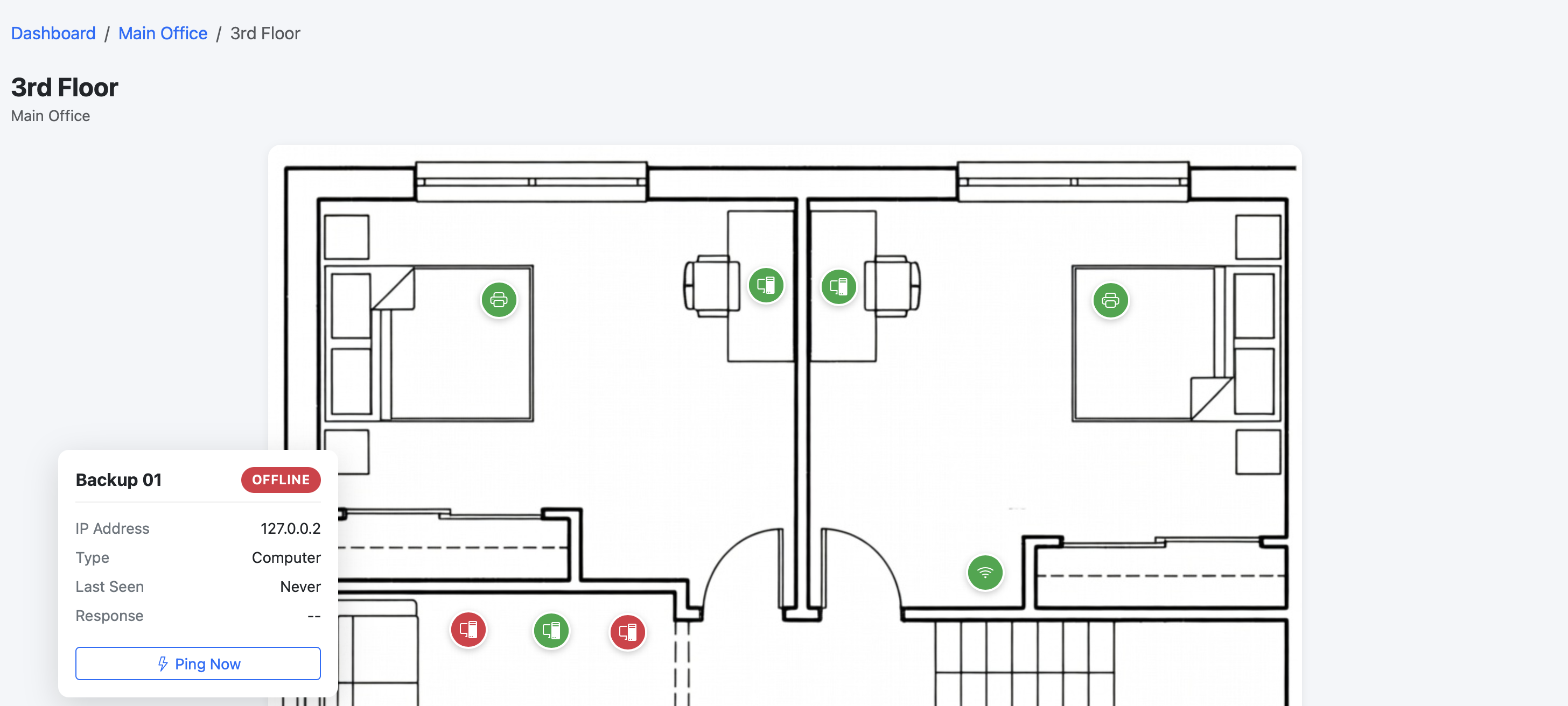
Simple setup. Visual results. No networking expertise required.
Upload your floor plan image and drag devices onto it. See at a glance what's on each floor and exactly where it is.
TigerNode pings your devices on a configurable schedule. Green means online, red means something needs attention.
See which devices have been unreliable, track uptime percentages over time, and export everything to CSV.
Manage devices across multiple buildings and floors from a single dashboard. Built for campuses and multi-site ops.
Upload any image of your floor plan — a blueprint, diagram, or even a photo.
Drag and drop devices onto the plan. Enter hostnames and optional IP addresses.
TigerNode pings devices on a schedule. View status on the map and get reports.
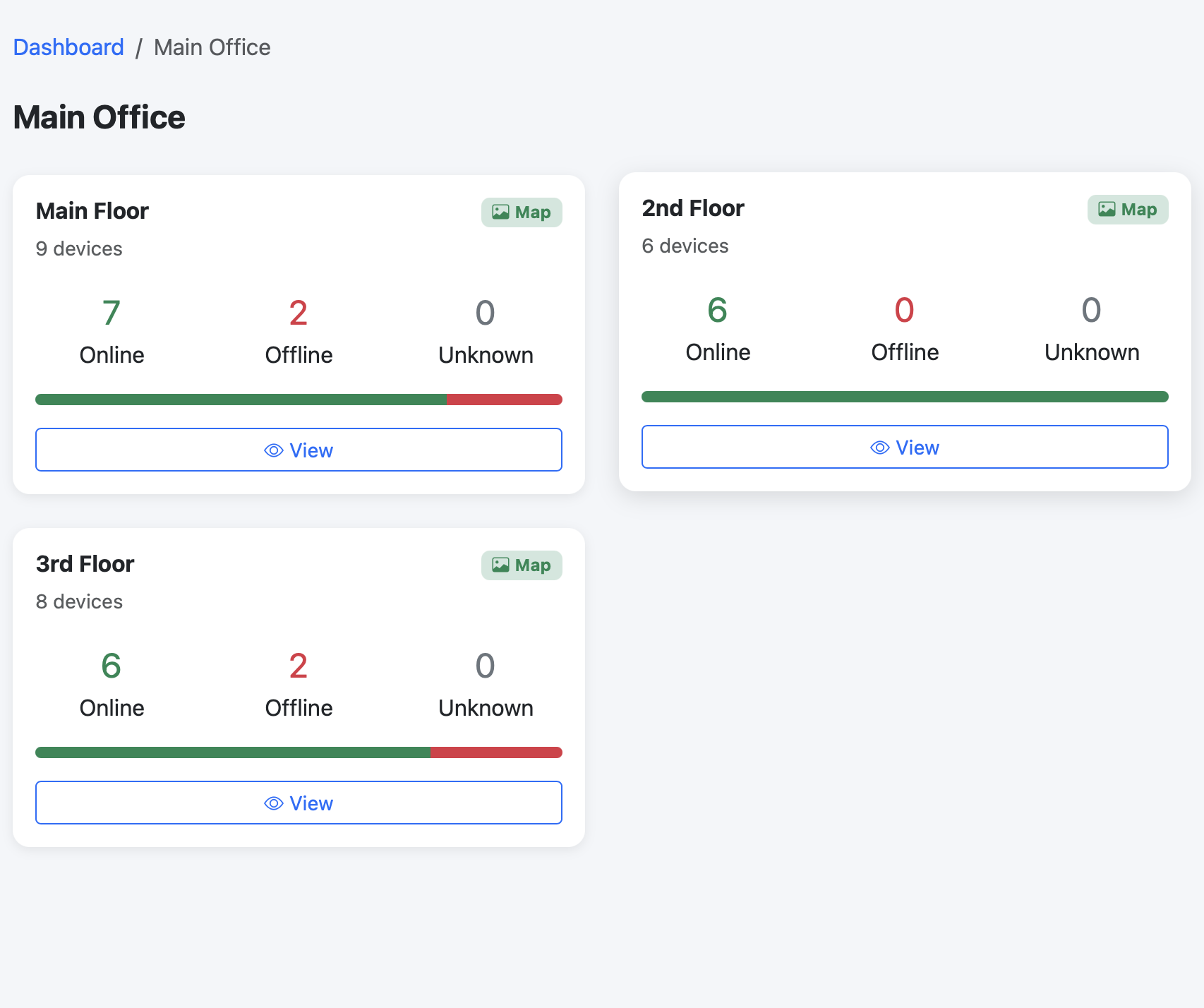
All your buildings at a glance.
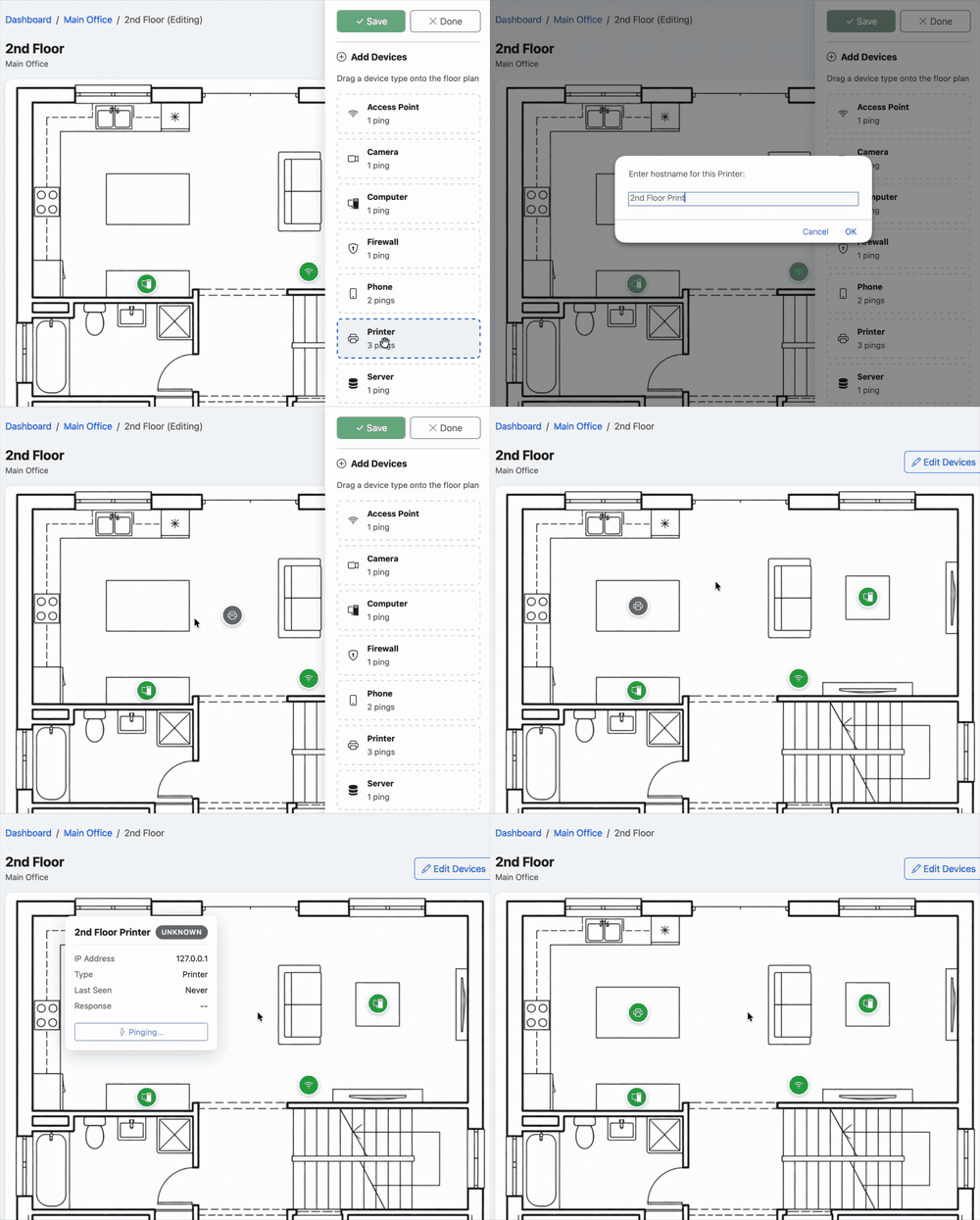
Place devices with a simple drag and drop.
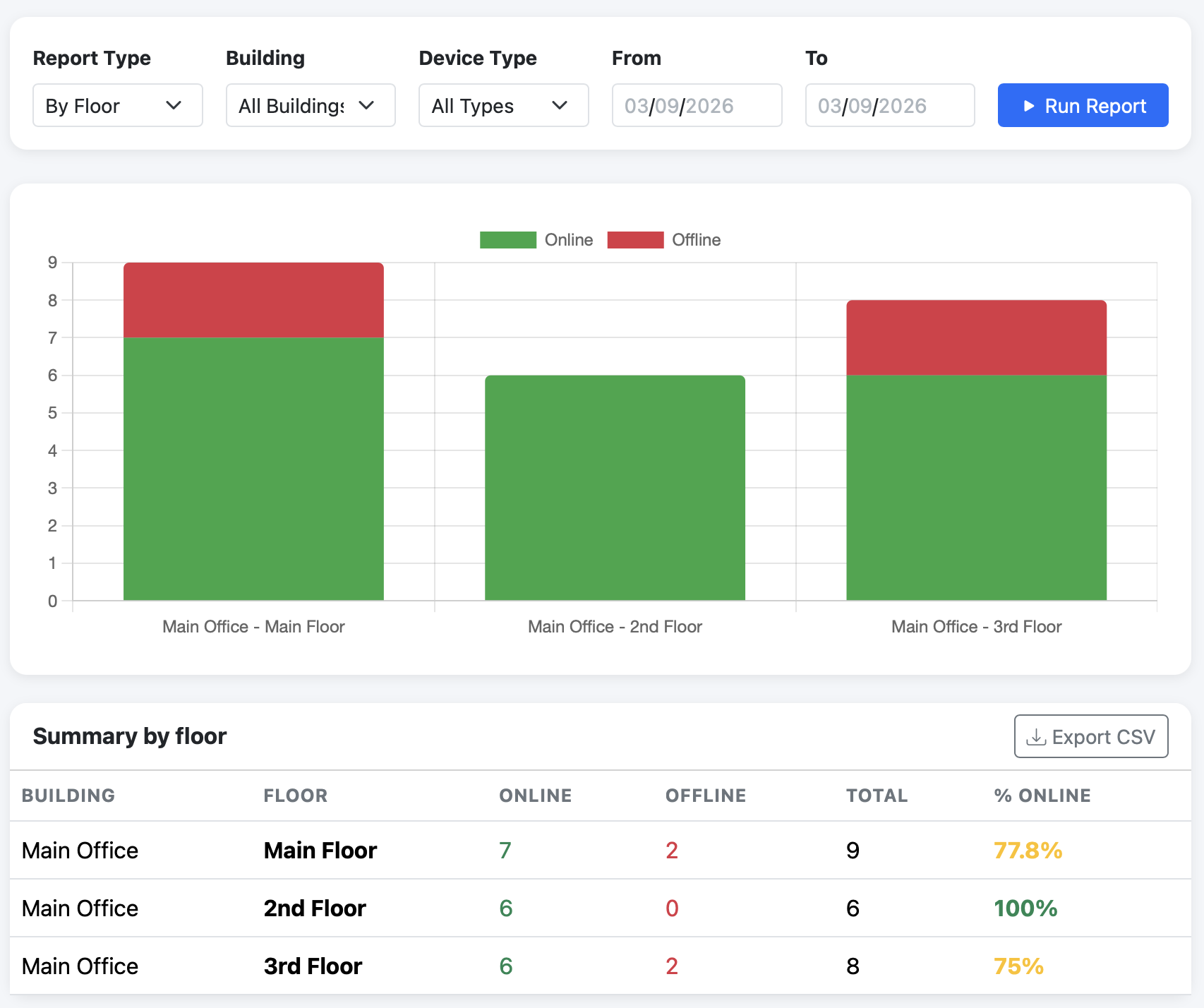
Track uptime and export to CSV.
Tell us about your setup. We'll get back to you within one business day.